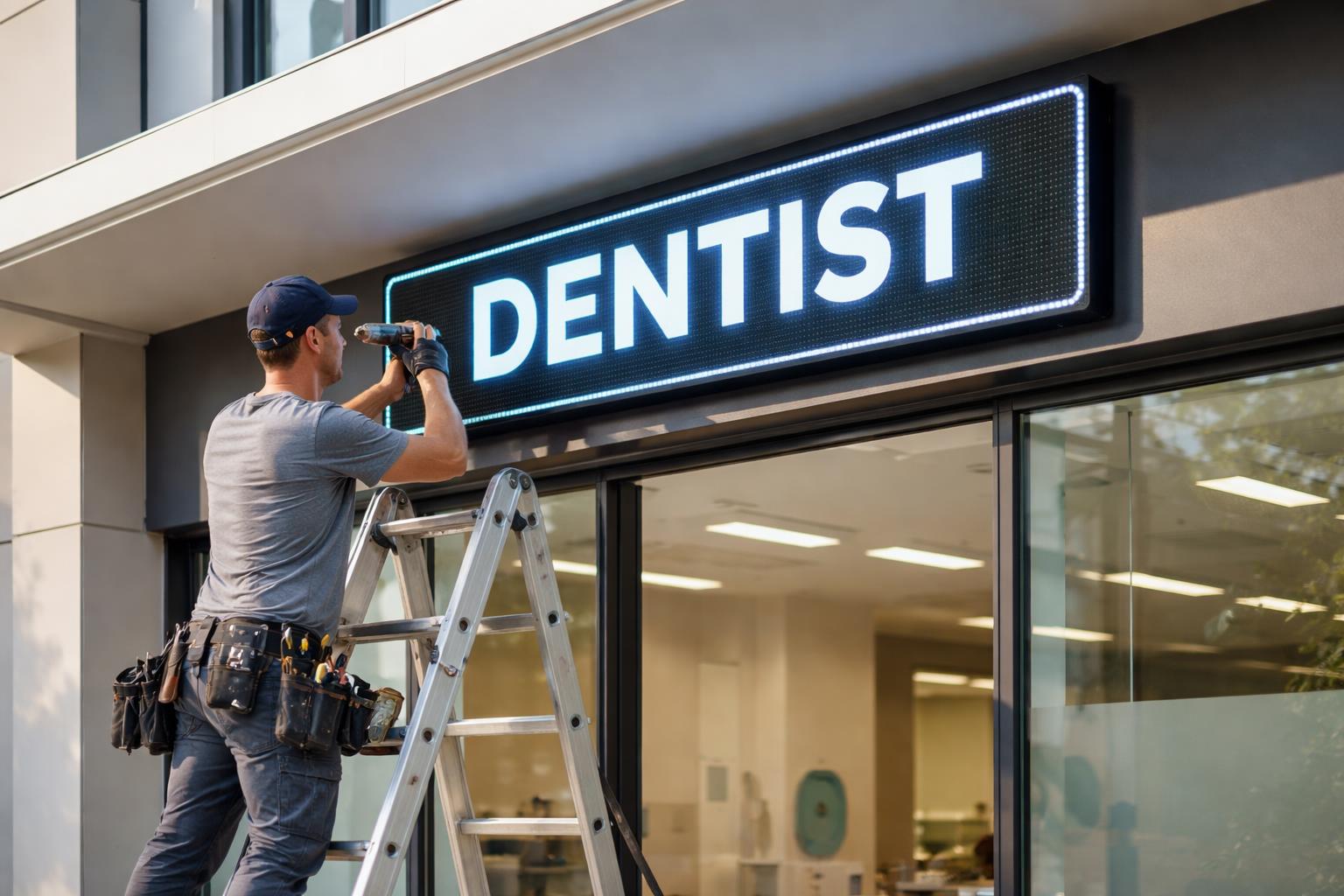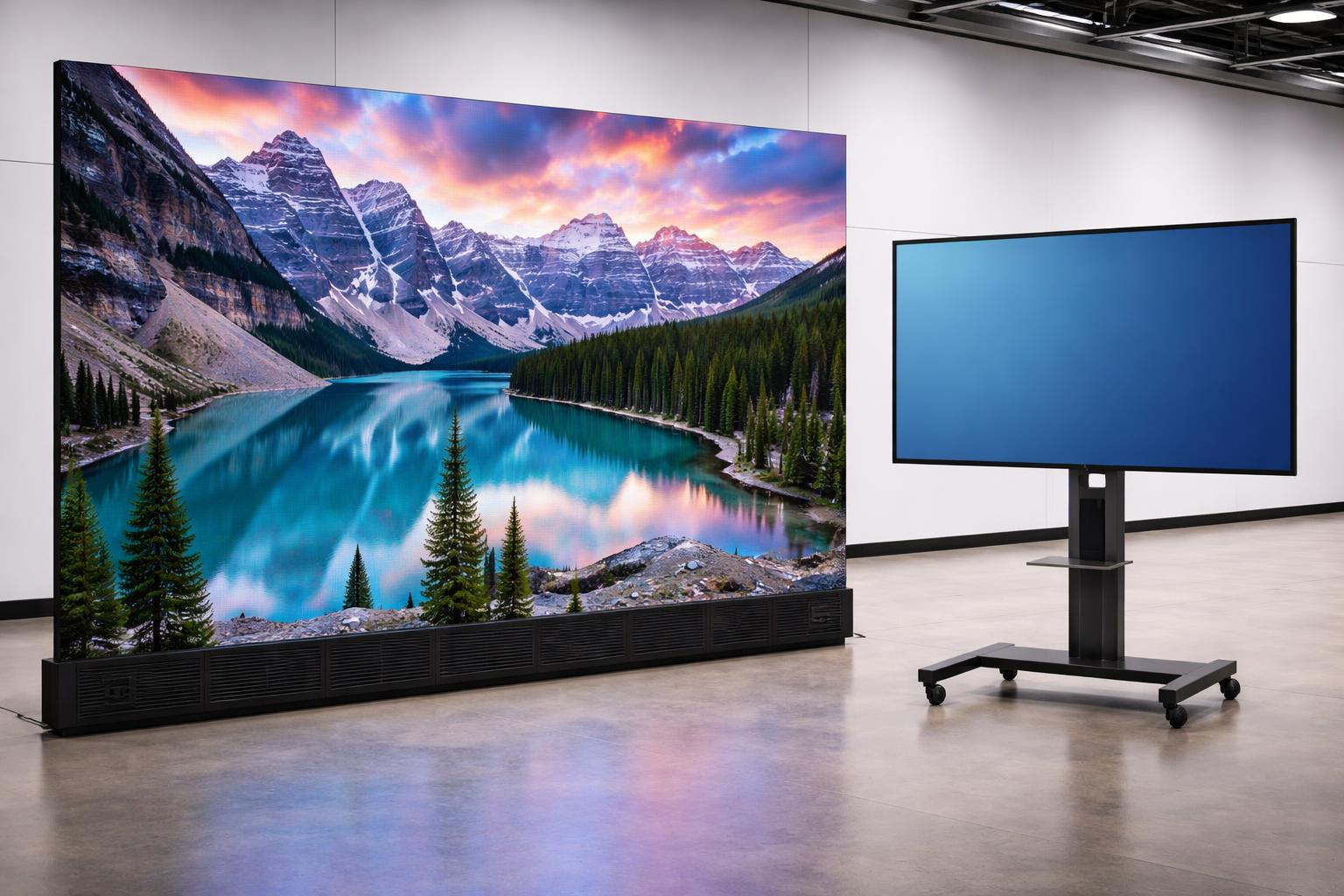
Choosing the right digital signage technology can make or break your messaging. LED video walls and LCD displays are both established options for retail stores, showrooms, offices, reception areas, entertainment venues and shopping centres – but each suits different scenarios. In this guide we compare direct-view LED walls with commercial LCD screens, covering image quality, viewing distance, screen size, brightness, bezels, installation flexibility, operating hours, maintenance and cost. The goal is to help Brisbane businesses pick the solution that meets their needs, without overspending on features they won’t use. Blink Digital has extensive experience supplying and installing both LED signs Brisbane companies and organisations trust. We’ll explain how to match the technology to your specific environment and audience – and of course, contact us any time for personalised assistance.
How LED Video Walls and LCD Displays Work
An LED video wall is made of modular panels whose tiny light-emitting diodes form the image. There is no backlight or glass layer – each red, green and blue LED produces its own light. Because the cabinets tile seamlessly, the overall picture has no seams or borders between panels. In contrast, an LCD display (even a large “video wall” made of multiple screens) uses an LED backlight behind liquid-crystal panels. Each LCD panel has a visible bezel (edge) and operates within a defined viewing cone. This fundamental difference shapes most of their practical strengths and limitations.
| Feature | Commercial LCD Video Wall | Direct-View LED Video Wall |
|---|---|---|
| Image creation | Liquid crystals with LED backlight | Millions of LEDs emit light directly |
| Best viewing distance | Close-range to a few metres | Several metres to across a room or street |
| Typical size | Up to ~100 inches per panel; tiled grids | Scalable to virtually any size or shape |
| Seams/bezels | Thin borders visible between tiled panels | Seamless continuous image |
| Brightness (indoor) | 300–700 nits typically | 600–1,500 nits easily; can dim as needed |
| Brightness (outdoor) | High-brightness panels (2,500–5,000+ nits) | 1,000+ nits to 5,000+ nits; excels in full sun |
| Cost (capital) | Lower per m² for small displays | Higher, especially for fine pitch |
| Maintenance | Entire panel must be replaced if faulty; many vendors | Individual LED modules or power units replaceable |
| Operating hours | Commercial LCD built for 16–24h/day use | Designed for 24/7 operation; no separate backlights |
(Table: Key differences between LCD and direct-view LED for digital signage.)
The biggest visible advantage of a direct-view LED wall is the continuous image. Unlike LCD panels, tiled LED cabinets have no visible frames, so maps, logos and videos flow without interruption. LED displays also offer higher brightness. Typical indoor LED walls run 600–1,500 nits (and outdoor-rated LED can exceed 5,000 nits), easily overpowering ambient light. By comparison, even “bright” LCD video walls are usually 500–800 nits – fine for indoor use, but easily washed out by sunlight. On the other hand, LCD monitors excel at pixel density and image sharpness at close range. A 55-inch 4K LCD panel has a native pixel pitch (~0.3 mm) far finer than the smallest affordable LED tiles (typically P0.9–P1.5 for most installs). In practice, this means a small or medium screen viewed up close can look visibly sharper on LCD. In fact, for a boardroom or shop window where people view the screen a couple of metres away, LCD often delivers better clarity for text and detailed content.
Commercial LCD panels are also a familiar technology for AV professionals. Any standard LCD panel can be swapped out in minutes if it fails, and replacement parts are widely available worldwide. This low-risk support network can be a practical benefit in locations without specialized LED service. Direct-view LED walls require knowledge of calibration (colour tuning) and may need periodic re-calibration of colour and brightness. However, LED’s unique strengths – especially at large sizes and wide viewing angles – outweigh these factors for many projects.
Viewing Distance and Image Sharpness
One of the first questions Blink Digital asks clients is how far viewers will stand from the screen. The answer helps determine whether an LCD or LED solution makes sense.
-
Close viewing (up to a few metres): LCD screens generally win for content that must be read or examined up close. High-resolution commercial LCD panels (like 4K or Full HD) render crisp text, detailed images and fine graphics with pixel-perfect clarity. This is why LCD monitors are popular for menu boards, pricing lists and wayfinding displays where customers stand or walk by nearby. If you need legible text, schedules, or detailed photos from an arm’s-length distance, a fine-pitch LCD is usually the right choice.
-
Moderate viewing (a few metres): At intermediate distances (3–5 metres), LCD and LED can both work well. For example, a medium-sized lobby wall or office reception screen might be just as sharp on a direct-view LED wall with a P1.2 pitch as on an LCD video wall, because beyond a few metres the pixel structure isn’t easily discernible. In these cases the decision often comes down to other factors (size, budget, environment). Blink Digital can recommend whether the tiny difference in image detail is noticeable at your viewing range.
-
Long viewing (over 5 metres): LED walls are ideal for large, far-away audiences. In arenas, shopping malls or outdoor forecourts, viewers may be 10–30 metres away or more. At these distances, the very fine detail of an LCD is unnecessary. A direct-view LED wall’s coarser pitch (5mm, 10mm, etc.) will still look smooth to distant eyes and will stand out thanks to its extreme brightness. For example, an outdoor LED billboard or a massive corporate lobby wall viewed from across the room is best implemented with LED panels.
In summary, LCD displays are typically better for close-range, fine-detail content, while LED walls excel at making a bold impact for distant viewers. A useful rule of thumb is: if the display will mostly serve viewers within a few metres (retail kiosks, office signage, close-up info screens), lean towards LCD. If it needs to be seen clearly from across a space, or you plan an expansive display, LED is often the safer bet.
Screen Size and Scalability
Screen size is another critical factor. Commercial LCD monitors are typically available up to around 100 inches (diagonal) per panel. For anything larger, you must tile multiple LCD panels into a video wall. This creates a defined grid: common configurations are 2×2, 3×3 or 4×3 arrays of 55″ panels, for example. Because each panel has a bezel, large LCD walls inevitably show thin lines between screens. Such tiling also constrains dimensions to multiples of the panel size and aspect ratio.
Direct-view LED walls have no inherent size limits. You can assemble dozens or hundreds of LED tiles into almost any shape or aspect ratio. For example, constructing a 3×6 grid of 55″ LCD panels yields about a 3.5 m×2 m wall. The “next size up” would require a 4×7 LCD array, which is nearly 5 m wide – an awkward jump. In contrast, LED modules come in smaller increments (like 800×600 mm, 1 m×1 m, etc.), so a wall can be built to precisely fit a space, even irregularly shaped ones. Curves and custom shapes are possible with certain LED cabinet designs too.
Blink Digital helps Brisbane businesses plan screens of any size. If your site calls for a simple one-panel 55″ LCD, that’s often the most cost-effective solution. But if you need a seamless 6 m wide display behind a reception desk, a multi-panel LCD solution would be complex and bezel-heavy. In that case we’d likely specify a large-format LED wall that covers the area without interruption. For example, a 7.2 m×1.8 m span might use a grid of LED modules (as suggested by the Aurora sign matrix) rather than 4×7 LCD tiles, simplifying installation and improving aesthetics.
Brightness and Environmental Conditions
Brightness is crucial for readability under varying lighting. Indoor LCD panels typically range from 300 to 700 nits of brightness, which is enough for average office lighting. Many LCD screens can run higher – “high bright” commercial LCDs can reach 2,000–4,000 nits – making them suitable for shop windows or shaded outdoor areas. However, direct sunlight quickly overwhelms standard LCD panels.
Direct-view LED walls are inherently high-brightness. Indoor LED walls commonly operate 600–1,500 nits and can be turned down for dark environments. Outdoor-rated LED boards easily exceed 5,000 nits, maintaining vivid visibility even under bright sun. This makes LED the go-to for any installation exposed to ambient light. For instance, an LED wall in a sunlit foyer or a high-brightness museum display stays legible where an LCD might appear washed out.
The Australian climate intensifies these considerations. Brisbane’s sunshine means any outdoor or window-facing screen must be super-bright. Ultra-high brightness LCDs (2500–3500 nits) are available and can serve as “workhorse” outdoor displays at human viewing distances (e.g. menu boards, wayfinding). The onQ Digital guide notes that these specialized LCDs “deliver luminance in the range of 2,500 to 3,500 nits or more,” keeping content visible in daylight. For screens behind glass or partially exposed to sun, we might recommend one of these high-nit LCDs.
However, when the screen must be viewed from afar or needs the absolute highest brightness, LED wins outright. For example, stadium perimeter boards, large advertising billboards or exterior building displays generally require LED tiles. Blink Digital typically advises using LED for any sizeable outdoor or high-sun scenario in Brisbane. Conversely, for indoor applications with controlled lighting (e.g. a dim store aisle display or conference room), a well-spec’d LCD panel is often bright enough and offers sharper detail.
Bezels, Viewing Angles and Aesthetics
The physical bezels between LCD panels can impact visual continuity. In an LCD video wall, even ultra-thin bezels form a faint grid that some viewers notice, especially up close or with content spanning multiple panels. If your content is a full-screen photo, world map or video, each bezel interrupts the image slightly. This is usually acceptable for data dashboards or grid-style layouts, but for an immersive media wall (e.g. a lobby statement piece), it’s a drawback. LED panels have no visible seams, so images and animations appear fluid. This makes LED walls very popular for bright brand displays, event backdrops and any signage where “wow factor” is key.
Viewing angles differ as well. High-quality LCD panels (especially IPS-type) can achieve very wide viewing cones, but most practical displays lose contrast and colour uniformity beyond about ±45°. In a lobby where people may approach from acute angles, an LED wall’s near-180° visibility can provide a more consistent image. In short corridors, waiting rooms or retail spaces where viewers wander around the screen, LED often has the better off-axis performance.
From an aesthetic standpoint, consider context. LCD displays typically look like large TVs or computer monitors. They come in sleek frames and can be wall-mounted just like consumer screens. They are familiar and unobtrusive for environments like offices, showrooms or conference rooms. LED walls tend to have a more industrial or theatrical look, with visible cabinets or rails behind the screen (though the front is seamless). They are ideal for making an impression in public-facing locations. At Blink Digital, we find that luxury retailers, entertainment venues and fast-food chains often choose LED for this reason, whereas corporate offices and hospitality venues sometimes prefer the polished look of an LCD wall.
Installation Flexibility and Structural Considerations
Installation logistics can sway the decision too. LCD video walls are relatively straightforward to install if you have enough space for the mounts. Tiling a wall of 55″ panels is usually faster than assembling an equivalent-size LED wall of many smaller modules. However, large LCD walls require perfectly flat walls, and the weight and bulk of multiple panels can be challenging in tight spaces.
LED walls offer greater flexibility in mounting and transport. Modules are smaller and lighter, which can make it easier to carry pieces through tight corridors or use smaller lifts. Because you can choose an unconventional screen shape, LED is often used on sloped ceilings, around corners or even curved surfaces. For example, a cylindrical column or an archway can be cloaked in an LED display – something impossible with rigid LCD panels.
One caveat: LED walls require careful planning of power and data. Each LED module draws power and connects to a controller, whereas an LCD wall is usually simpler to wire (just power and video inputs for each panel). Blink Digital engineers ensure sufficient electrical capacity for either technology and include surge protection and ventilation as needed. Brisbane’s builders and AV installers are familiar with both approaches, so we can coordinate the installation to meet Australian electrical and safety standards.
Operating Hours and Reliability
Both LCD and LED systems can operate 24/7 if needed, but their service characteristics differ. Commercial LCD panels are rated for continuous use (often specified for 16 or 24 hours a day). Over many years of constant operation, the backlight tubes or LEDs behind an LCD can degrade, causing brightness to fade or uneven spots. In practice, at Brisbane’s average operating schedules, most high-quality panels will run reliably for 5–8 years on constant use. Many integrators schedule a backlight rebuild or full panel replacement around year 7 or so if the screen is in a critical, full-time application.
LED displays have no separate backlight, which is a reliability advantage. Individual LEDs do dim over time, but high-end direct-view systems can last 50,000–100,000 hours before reaching 70% brightness. In real-world terms, that could be over a decade of typical use. If an LED module fails, it can be replaced in sections without scrapping the entire screen.
One often-cited rule is that very large displays (10s of square metres) can end up costing less over 10 years if they’re LED, even if the upfront cost was higher. This is partly because LED walls don’t need a large-scale refresh of backlights in their lifetime, and because servicing can be done module by module. For a small single-panel sign or menu board, the LCD’s longevity usually covers the entire project life at a lower price. Blink Digital will always factor long-term ownership into our recommendations. For example, we might suggest purchasing a few spare LCD panels or LED modules upfront if rapid replacement could be critical (e.g. for a busy dealership showroom or 24/7 control room).
Maintenance and Service
In terms of upkeep, LCD video walls require care similar to any commercial monitor. Periodically we clean screens, check mounts and ensure software is updated. If a panel goes bad, it’s usually swapped out fast. Because LCD technology is common, parts are easy to source (often through the panel manufacturer’s Australian support network).
With LED walls, maintenance means module-level service. Most LED screens have serviceable back accesses or front-access modules. If a panel array dims or pixels die, technicians can open the cabinet and replace just the affected LED tile. Blink Digital carries spare modules for many of our installations, especially in remote or multi-site projects. This dramatically cuts downtime compared to shipping a whole panel. In all cases, local factors such as accessible mounts, weatherproof enclosures, and compliance with Brisbane’s climate standards come into play. LED and LCD products must have adequate IP ratings if there’s exposure to moisture, dust or temperature extremes.
For businesses, the bottom line is that maintenance cost is usually lower for smaller LCD installations (you’re just swapping one panel). For large-format, 24/7 walls, planning for LED service parts can avoid forklift rentals or crane lifts. Blink Digital works with all customers to outline expected maintenance procedures and can provide service agreements to keep the signage running like new.
Cost Considerations
Cost is often a decisive factor, but it’s important to consider both upfront price and total value. In general:
-
Initial hardware cost: LCD panels are usually cheaper per square metre for small to mid-size displays. An entry-level 55″ Full HD LCD monitor can be a fraction of a fine-pitch LED cabinet. For a single-surface installation (e.g. one lobby wall or two screens), the LCD solution often has a lower sticker price. Direct-view LED walls, especially at fine pitches, have higher material and installation costs. However, LED becomes relatively more cost-effective as the display area grows. The Aurora guide notes that below about 4–5 m², LCD has a clear price advantage, but beyond that, LED scales better.
-
Installation cost: LCD walls can be faster to install for small setups since you’re just mounting a few larger panels. LED walls take more time assembling many modules and configuring the software. For very large or irregular shapes, LED installation may actually be simpler overall because there’s no need to fabricate a custom frame for a giant LCD array.
-
Power and running cost: Direct-view LED walls typically consume more power than an equivalent-sized LCD wall, simply because they need high brightness. However, modern LED panels have dimming and power-saving modes. In contrast, LCD panels’ power draw is largely fixed by the backlight. We always recommend energy-efficient settings (like dimming at night) for both types.
-
Lifecycle cost: Remember that high-end LCD panels lose brightness and eventually require backlight or panel replacement. These costs can add up for an enterprise running screens 24/7. An LED wall’s modularity means it’s often less disruptive to service over time. Blink Digital provides transparent cost-of-ownership comparisons for our clients, including sample scenarios (for example, what a 5-year vs 10-year ownership might cost with each option). In some large installations, the 10-year total cost of an LED video wall can be very close to or even lower than that of an LCD wall once you factor replacements.
In summary, for small digital signage (a single screen or small video wall used at close range), an LCD solution usually wins on price and immediate simplicity. For large, high-impact displays, or any screen that must endure bright light and heavy use, the higher LED price often pays off in performance and longevity.
Which Technology for Different Environments? (Decision Guide)
To choose the right display, Blink Digital looks at your specific use-case. Below is a rough guide – the “decision matrix” adapted from industry sources – to help you decide which technology typically suits common environments:
-
Indoor close-up displays (<3 m², viewers <3–4 m): Best fit: LCD. For example, a meeting room screen or near-field reception monitor. LCD’s high resolution and lower cost make it ideal here.
-
Medium indoor walls (3–8 m², viewers 3–6 m): Either technology. For example, a dynamic media wall in an office lobby. Both LCD video walls and fine-pitch LED walls can work. In this case Blink Digital would compare quotes and site conditions. If seamless imagery is critical or if ambient light is high, LED might be chosen. Otherwise LCD might suffice.
-
Large open spaces (any size, viewers 3–15 m): LED preferred. Examples include corporate lobby statement walls, showroom feature walls or cinema lounge displays. LED’s lack of bezels, higher brightness and wide viewing angle shine in these areas.
-
Retail and hospitality (4–30 m², viewers 2–10 m): LED. Brighter, seamless content performs better amid store lighting and angled views. (Note: ultra-high brightness LCD can compete for smaller shop window displays, but for larger format in busy retail, LED typically dominates.)
-
Interactive/touch applications (<4 m², viewers <1 m): LCD or GOB LED. When people directly interact with a screen (touch kiosks, high-res menus), very high pixel density is needed. LCD or glass-on-board (super fine LED) can be used, but careful design is required.
-
Control rooms (6–20 m², viewers 2–5 m): LED. Multi-screen control room walls benefit from LED’s modularity, easy maintenance and off-axis readability, ensuring operators can view critical data from different positions.
-
Broadcast studios or virtual production: LED. For camera-based viewing, LED walls (often COB-LED for best contrast) are standard, since the camera sees a uniform, high-brightness surface without bezels.
-
Outdoor signage (any size, any distance): LED only. Standard LCD panels are not rated for most outdoor conditions. Even high-brightness outdoor LCDs have limits. For building exteriors, street-side billboards or sporting grounds, direct-view LED is the established choice.
These are guidelines, not hard rules. Each project is unique. Blink Digital always assesses site details (lighting, architecture, foot traffic, viewing distance, and content type) before recommending LED or LCD. We’ll show you why a given screen will work – or why it won’t – and present options tailored to your brief.
Making the Choice: Considerations and Questions
When evaluating quotes from Blink Digital or any signage supplier, use these questions to guide the decision:
- Viewing Needs: How close will people be? If viewing distance is short, prioritize resolution; if long, prioritize size/brightness.
- Brightness Requirements: Is the display facing windows or outdoor light? High ambient light pushes towards high-nit panels (LCD or LED).
- Size and Shape: What are the exact dimensions? If a custom shape or large seamless design is needed, LED may be the only practical option.
- Cost vs Value: What is the lifetime plan? Compare the total cost of ownership, not just the hardware price. Remember to account for potential panel replacements (LCD) or spare modules (LED).
- Installation and Access: How easy is it to reach for maintenance? Very high installations may favor LED’s service model.
- Content Type: Is your content mostly text or video? For text-heavy content (menus, pricing), LCD’s sharpness can be an advantage. For video, both work well, but LED offers bigger “wow.”
- Support and Warranty: Who will service the screen? Check that warranty terms and support are robust. Blink Digital provides local Brisbane support and can coordinate any required repairs.
By systematically answering these, you can avoid common pitfalls like “Spec’ing a giant LED billboard for a small menu board” (too much cost, overkill brightness) or “Using standard indoor LCD in bright outdoor light” (screen becomes unreadable).
Summary
In summary, LED and LCD displays each have their sweet spots for digital signage:
-
Choose LCD for smaller, indoor screens viewed closely – they offer high resolution, easy content creation and lower upfront cost. A modern 4K or HD LCD sign is perfect for crisp text, narrow content, or environments where uniform panel replacement is more practical.
-
Choose LED for large-format or high-brightness needs – they deliver seamless images, intense luminance and flexible sizing. LED walls dominate when you need a dramatic focal point, wide viewing angles or outdoor durability.
Every environment is different. Blink Digital’s Brisbane-based team can review your specific location, audience and content to make the right recommendation. We’ve installed both LED signs and LCD video walls across Queensland, from retail shopfronts to corporate lobbies, churches to car dealerships.
Get in touch with Blink Digital for personalised advice. Tell us about your project – the space, how far people will stand, how long the screen should run each day, and any special requirements (e.g. touch interaction or high-ambient light). We’ll help you choose and configure the ideal digital signage Brisbane solution, whether it’s an indoor LCD display or an eye-catching LED video wall. Call us at 0424 505 990 or submit an online enquiry to start the conversation. Let our experts guide you to the display that delivers maximum impact and return on investment for your business.