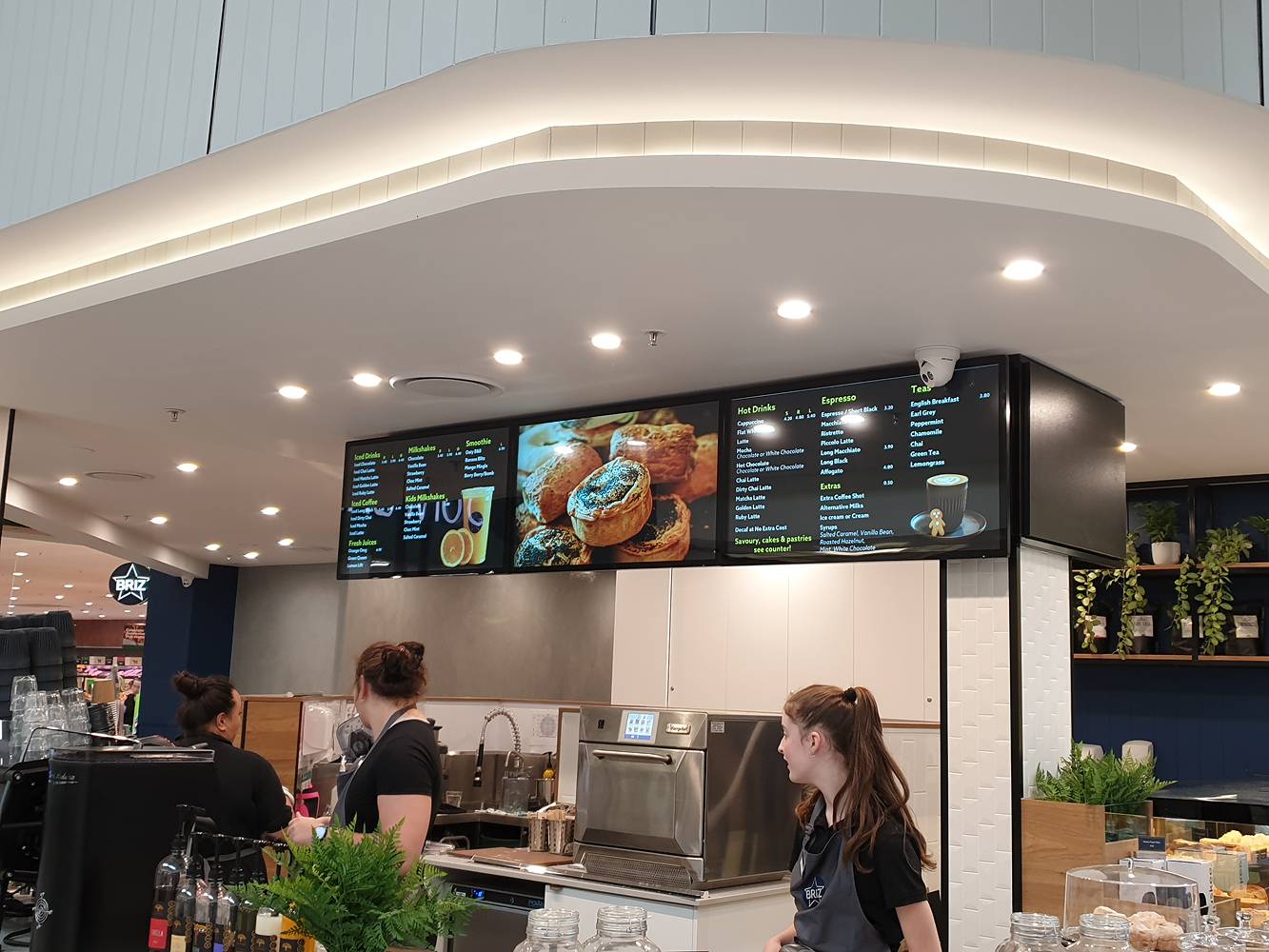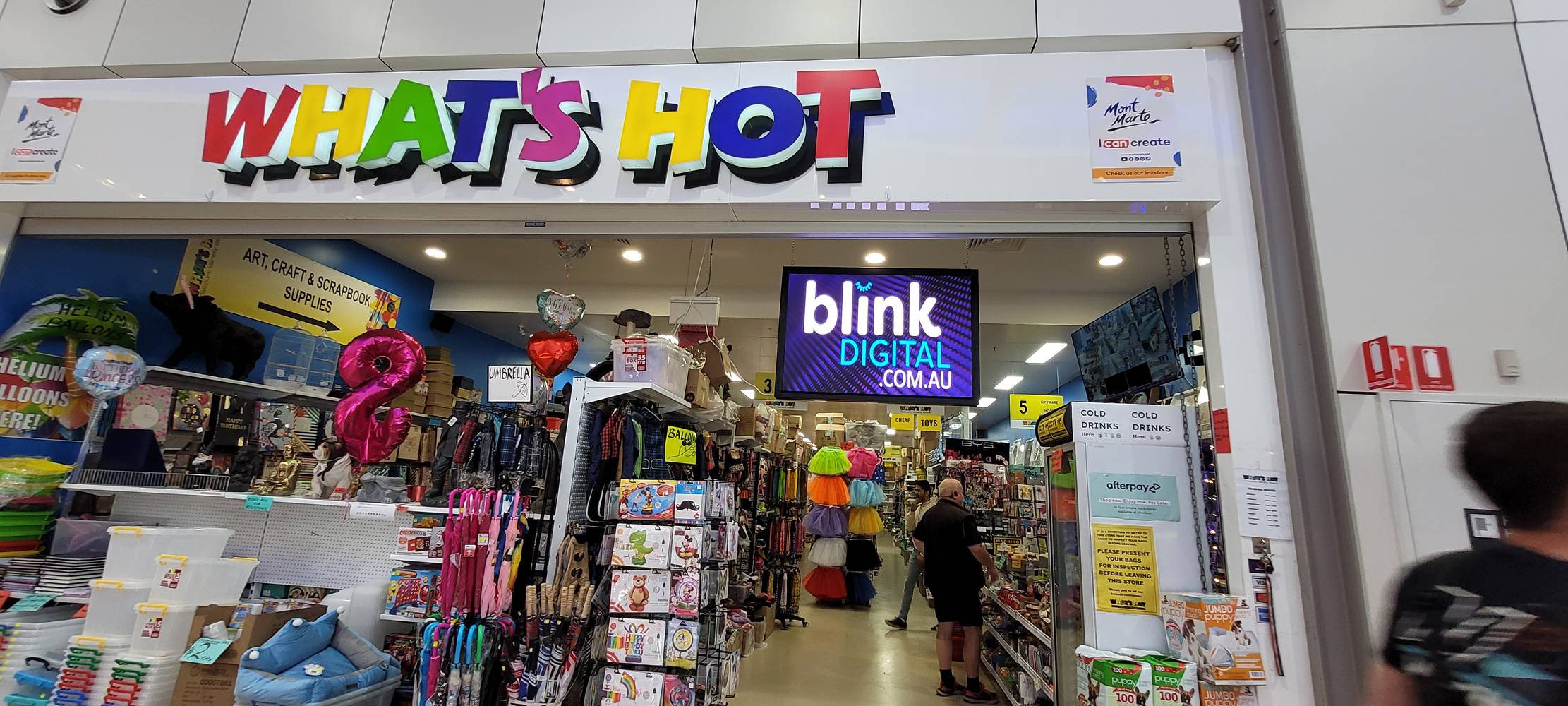
Effective LED signage is about what you display as much as where you display it. Dynamic digital signs capture attention – studies show high-quality LED displays can boost foot traffic by 20–30% with eye-catching content – but only if the messaging is well planned and updated. At Blink Digital, we help Australian businesses not just install hardware but also craft smart content schedules. By understanding your audience and environment, you can align messaging (e.g. morning specials, lunchtime deals, evening offers) with real-world timing. The result is clear, bold content that stays fresh and drives engagement, maximising the ROI of your LED signage investment.
A large-format LED display in a city waterfront setting – using bright, vibrant content to draw attention and increase foot traffic.
Plan Your Content Calendar
Start by outlining a content calendar that maps campaigns and promotions well in advance. A content calendar is basically a schedule for each piece of media: date, time, duration and context. It helps ensure your signage keeps up with marketing campaigns and seasonal events. For example, a retailer can pre-load holiday campaigns, special offers and seasonal themes so they run at the right times. Pickcel notes that a calendar keeps “consistent messaging across all digital signage systems,” strengthening your brand identity and avoiding last-minute scrambles.
- Set clear goals: Identify what each display should achieve (e.g. promote a sale, inform about new products, cross-sell). Tailor content to those goals from the outset.
- Align with campaigns: Synchronise signage with in-store promotions, store hours and local events. This might mean running morning coffee ads during the commute, lunch specials at noon, and toy promotions during after-school hours.
- Collaborate internally: Involve marketing, sales and store managers in planning. A shared calendar (even a simple spreadsheet) means everyone knows what’s displayed and when.
By organizing content ahead of time, you avoid inconsistency. For example, multinational chains manage hundreds of stores by using shared digital calendars so each outlet can automatically display the right campaign. Blink Digital can help you set up these schedules in your signage CMS, ensuring no screen goes blank or stale.
Schedule by Time-of-Day and Audience
Dayparting – showing different content at different times – is a cornerstone of LED scheduling. Restaurant clients might display breakfast menus only until mid-morning, switch to lunch specials in the afternoon, then highlight dinner deals in the evening. Retailers can do the same for commuters, lunchtime shoppers, and after-work browsers. For example, Blink Digital helped one retailer set their LEDs to show gym ads in the early morning, lunch deals at noon, and family-oriented products in the late afternoon. As Yodeck notes, cloud-based signage platforms make this easy: “You can prepare your entire campaign in advance, scheduling different content for morning commuters, lunch-hour shoppers, and evening browsers”.
In practical terms, consider:
- Morning traffic: Show coffee or breakfast deals to early-birds heading to work (e.g. “Grab a $5 coffee combo – offer ends 10 AM!”).
- Lunchtime crowd: Highlight quick meals, lunch specials or express services when people break for lunch.
- Evening shoppers: Promote dinner packages, family deals or weekend events as people leave work.
- Weekends vs weekdays: Adjust for different routines – a mall might see more casual shoppers on weekends, so run leisure-focused content then.
Even cities can “talk” through signage. In a transportation hub, you might use high-contrast alerts for gate changes, or menus that change as peak travel times shift. In short, tailor the schedule to match who’s nearby and when they pass by. Morning commuters expect quick “grab and go” info, while evening families may engage more with richer visuals or quizzes. Modern CMS systems allow scheduling by exact hour or day, so Blink Digital can automate these dayparts for you.
Segmentation & Targeting Passers-by
Different passer-by profiles warrant different messages. Blink Digital can help segment your content based on location and audience demographics. For instance, a display in a suburban shopping centre might switch to kid-friendly content late afternoon, while a CBD storefront shows business-oriented ads in the morning. Yodeck recommends this approach: “Schedule different content for different times of day when different demographics shop. Morning content for early birds… Evening content for families shopping together”.
- Target commuters vs shoppers: An LED on a busy street could show traffic updates or quick news in rush hours, and later switch to promotional graphics for nearby restaurants or stores.
- Audience profiling: Use analytics (if available) to see which content gets attention. Do students respond to bright, playful ads? Do professionals prefer straightforward quick-read messages?
- Dynamic triggers: Beyond time, you can trigger content by conditions. For example, if your sign has a people counter, it could show a “Happy Hour” ad when footfall is high, or a “Quiet time deals” sign when it’s slow.
By crafting content that “speaks” to who’s watching, you make your LED sign relevant and engaging. Blink Digital’s team can guide you in setting up these audience-based playlists using our digital signage software and expertise.
Design Best Practices for LED Content
No matter how strategic your schedule, poor design will let your message be overlooked. Good LED signage follows visual design principles:
- Bold, legible text: Use large headlines and high-contrast colours so your message is clear from a distance. Bright LED displays work best with bold fonts and simple messages. For example, keep on-screen text to a minimum – think “SALE: 50% OFF!” rather than long paragraphs.
- Consistent branding: Maintain brand colours, logos and tone across all slides. Consistency builds recognition. Your content calendar should align with your broader brand style guide to “strengthen [brand] identity”.
- High contrast & clarity: Especially outdoors, sunlight can wash out colour – always check readability. Use strong text-to-background contrast (e.g. white text on a dark background). Blink Digital’s LED hardware includes ambient brightness sensors, but your content should also be designed for both sunny and dim conditions (more on this below).
- Whitespace and hierarchy: Don’t cram the screen. Allow space around text and images for easy reading. Arrange elements hierarchically – the most important message (headline) in large font, supporting details smaller.
- Concise, action-oriented copy: Keep messaging short and punchy. KIOSK Systems advises that “Effective digital signage content is concise, action-oriented, and visually clear.”. Use verbs and calls-to-action: “Order now”, “Learn more”, “Show today only”.
- Eye-catching visuals: Use custom graphics or product photos that stand out against the LED background. Avoid clip art or unrelated images. For retail, include photos of your products in use; for automotive, showcase the latest car model.
By following these design tips, your LED content will capture attention quickly and be easy to digest – critical when people are walking or driving by.
Motion & Animation Usage
Animation and video can make an LED sign dynamic, but they must be used purposefully. Subtle motion or looping video can guide the eye and bring products to life. For example, an automotive showroom might show a car engine revving or turn a wheel slowly, which highlights features in an engaging way. Blink Digital often recommends only brief animations: a quick slide-in or a looping driving scene rather than jerky or overly flashy transitions.
- Avoid distractions: KIOSK’s guide warns against “unnecessary movement that distracts from the task”. For instance, don’t use flashing or overly fast sequences that pull attention away from your core message.
- Use video to demonstrate: People respond to motion. Short video clips (3–5 seconds) can showcase a product in action. Retailers might rotate through 3–4 product videos in a loop, while educational signs could cycle through event highlights.
- Match pace to context: In a fast-food queue, fast-moving graphics might be fine. In a car dealership, use slower, cinematic clips that complement the luxury feel.
In short, motion should enhance the message, not overpower it. Well-chosen video or animations can anchor your dynamic LED display – something Blink Digital’s creative team can help produce – but remember that clarity and read-time remain top priorities.
Remote Updates & Centralized Control
One of the biggest advantages of modern LED signage is remote content management. A cloud-based CMS lets you update any sign from anywhere, so you can react instantly to changes in promotions or local conditions. As SmartLED explains, you can “publish content and updates to any screen, anywhere in the world, directly from the CMS dashboard,” removing the need for USB drives or manual visits.
- Scheduling tools: Use your software’s playlist editor to queue up daily and weekly schedules. Set specific playlists for specific screens or locations. For instance, all cafes in your network might get the morning menu at 6 AM.
- Daypart automation: Advanced CMS features let you switch content automatically on a timer. When Friday 5:00 PM hits, the system can switch from “Weekday Sale” to “Weekend Special” without manual intervention.
- Real-time triggers and updates: You can also push urgent content on the fly. Need to announce a sudden flash sale or change in hours? Blink Digital’s remote setup means we can update your sign content instantly over the internet. This agility bridges online and in-store marketing – just like Yodeck notes for holiday campaigns, you can “update promotions across all locations simultaneously from your laptop”.
Managing your signs remotely ensures they never go stale and always reflect current offers. Blink Digital provides training and support on these systems, so your team is comfortable logging in and editing content schedules.
Avoiding “Stale” Signage
Even great content will lose impact if it stays on screen too long. To keep passer-by interest, refresh your content regularly. KIOSK emphasizes that “even the best digital signage design and content lose their impact if it doesn’t evolve with the times”.
- Rotate promotions: Change your offers daily or weekly. A coffee shop could cycle through featured beverages each week, or a gym could swap class schedules monthly. This prevents habituation – when people see the same thing over and over, they tune it out.
- Seasonal themes: Incorporate holidays and seasons into your signage content. Holiday-themed backgrounds or countdown timers create urgency and relevance. For example, show “Easter Deals” in April or “Summer Sale” in December (Christmas is summer in Australia) to connect with current events.
- News and social feeds: Adding live data or social media can keep even static signs fresh. A restaurant might display daily Instagram posts or weather updates – content that changes on its own and grabs attention.
- User-generated content: Encourage customers to interact. For instance, a photo wall showing tagged customer images can feel new each time it’s triggered.
Planning these updates in your content calendar makes the process seamless. For instance, Blink Digital helped one retailer schedule monthly “new arrivals” ads in the CMS, automatically updating across all stores. Regular analytics review (even simple footfall observations) can inform what to change: if customers seem to pass by without looking, that’s a cue to swap out your slides for something more compelling.
Advanced Scheduling: Beyond the Basics
While dayparting and content calendars form the foundation of a great LED signage strategy, more advanced scheduling techniques can further enhance impact. Many digital signage CMS platforms now support conditional logic, location-aware content, and data-driven automation that responds to external triggers.
Conditional Triggers
Conditional scheduling allows content to be shown only when certain parameters are met. For instance:
- Weather-based content: A café might promote iced drinks on hot days and hot coffee on cooler mornings, triggered automatically using a weather API integrated into the CMS.
- Inventory-aware ads: If your POS system is connected to your signage system, you can stop promoting a product the moment it sells out, replacing the content with a different item instantly.
- Crowd-responsive displays: Using footfall counters or camera-based sensors, LED signage can detect when a space is busy and push more attention-grabbing content, or display longer-form content when the space is quieter.
These reactive tools mean your content strategy isn’t static – it’s responsive, making your displays feel smarter and more aligned with what’s actually happening in-store or onsite.
Location-Specific Scheduling
If you operate in multiple locations, each site might need tailored content. A one-size-fits-all playlist won’t reflect local demographics, hours, or community events. Blink Digital helps clients set up geo-targeted scheduling, allowing each LED screen to display content that’s unique to its location – while still maintaining brand consistency across the board.
For example, a national car dealership might run core brand promotions on all displays but also allow local branches to add content about weekend opening hours, community sponsorships, or region-specific offers. Using role-based CMS permissions, local teams can schedule their additions without disrupting national campaigns.
Seasonal and Event-Driven Campaigns
Seasonality plays a huge role in Australian retail and service industries. Sales events, weather patterns, school terms, and holidays all influence foot traffic and purchasing behaviour. LED signage can be leveraged to align precisely with these shifts.
Annual Events
Create an annual content plan that includes key calendar dates:
- January – Back to School, Summer Clearance
- April – Easter, Autumn Promotions
- June – EOFY Sales, Winter Essentials
- November–December – Black Friday, Holiday Shopping, Summer Launches
By planning ahead, you ensure timely and consistent campaigns. LED signage can rotate between teaser content (“EOFY coming soon”), launch messages, and last-chance alerts to guide buyers through the purchase funnel.
Local Events
In addition to national holidays, LED signage should reflect local events and activities. For example:
- A shopping centre might advertise parking discounts during a nearby festival.
- A gym can promote special trial offers during a community fitness week.
- A local car yard could highlight its presence at a weekend motor expo.
Blink Digital’s remote scheduling tools allow these localised changes to be pushed instantly or pre-scheduled in advance, even across large networks.
Measuring Content Performance and Iteration
Once your content is running, the next step is refining it. The most effective LED signage strategies are based on continuous improvement. This means monitoring how content performs and adjusting accordingly.
What to Measure
- Engagement Time: If your system includes sensors or vision tracking, dwell time tells you how long people are watching your screen.
- Foot Traffic Correlation: Compare entry counts before and after content changes – this shows how well your messaging attracts attention.
- Promotion Redemption: If a sign displays a discount code or QR code, track how many people use it. That’s a direct indicator of content effectiveness.
- Sales Uplift: Align content changes with sales data to measure influence. If you promote Item A from Monday–Wednesday and see a spike, that’s a win.
Blink Digital works with clients to review these metrics regularly. Whether through integrated analytics dashboards or simplified weekly reports, we ensure you’re not guessing — you’re learning.
Iterating with Purpose
Here’s a simple process for improving LED content based on data:
- Test: Create two versions of content – e.g. “10% off now” versus “Save $10 today”. Rotate them in alternate weeks.
- Measure: Check engagement, redemptions, or sales during each period.
- Optimise: Keep the higher-performing version and build on it.
Over time, these small tests yield large insights. You’ll discover which layouts, CTAs, colours, or headlines resonate most with your customers.
Creative Support and Content Development with Blink Digital
Designing high-impact LED content isn’t always easy — but you don’t have to do it alone. Blink Digital offers creative support to help your business get the most from your screens.
Our Content Services Include:
- Template Creation: We build custom-branded content templates for your team to edit internally with new offers or messaging.
- Campaign Design: Our design team can develop full campaigns for seasonal launches or major sales events, including animations and motion graphics.
- Content Audits: Not sure if your signage is effective? We’ll review your current playlist and provide feedback on messaging, pacing, and visual clarity.
- Training & Support: We’ll train your team on best practices in digital content creation for LED displays, covering legibility, timing, colour usage and more.
As your signage partner, Blink Digital ensures you’re not just displaying content — you’re telling compelling, results-driven stories that align with your marketing goals.
Final Thoughts: Keep Your Displays Dynamic, Data-Led, and Aligned
Dynamic LED displays are an incredibly powerful way to engage customers in real time — but only if the content strategy behind them is well thought out. By implementing the techniques explored above, your business can deliver targeted, timely, and compelling messages that increase foot traffic, drive conversion, and reinforce brand identity.
From scheduling tools and audience segmentation to design best practices and data-driven optimisation, a successful LED signage strategy requires more than good hardware. It needs clear goals, consistent updates, and the ability to respond to what works (and what doesn’t).
Blink Digital supports Australian businesses every step of the way. Whether you need help crafting your first content calendar or want to integrate AI-based scheduling and real-time analytics, our team provides tailored solutions to help you achieve more with your signage investment.
Ready to upgrade your LED content strategy?
Let Blink Digital help you plan, schedule, design, and optimise digital signage content that performs. Contact us today to get started with a solution that’s built around your business, your audience, and your goals.